If you’re struggling to figure out when your newborn should nap, you’re not alone. Many new parents find themselves wondering whether their baby is tired, hungry, or simply fussy. One of the most effective ways to improve sleep is by following a newborn wake window chart.
Understanding wake windows can help prevent overtiredness, support healthy sleep habits, and make daily routines much easier.
What Is a Newborn Wake Window?
A wake window is the amount of time your baby can comfortably stay awake between sleep periods.
Newborns have very short wake windows because their brains and bodies are developing rapidly. Keeping your baby awake longer than their recommended wake window can make it harder for them to fall asleep and stay asleep.
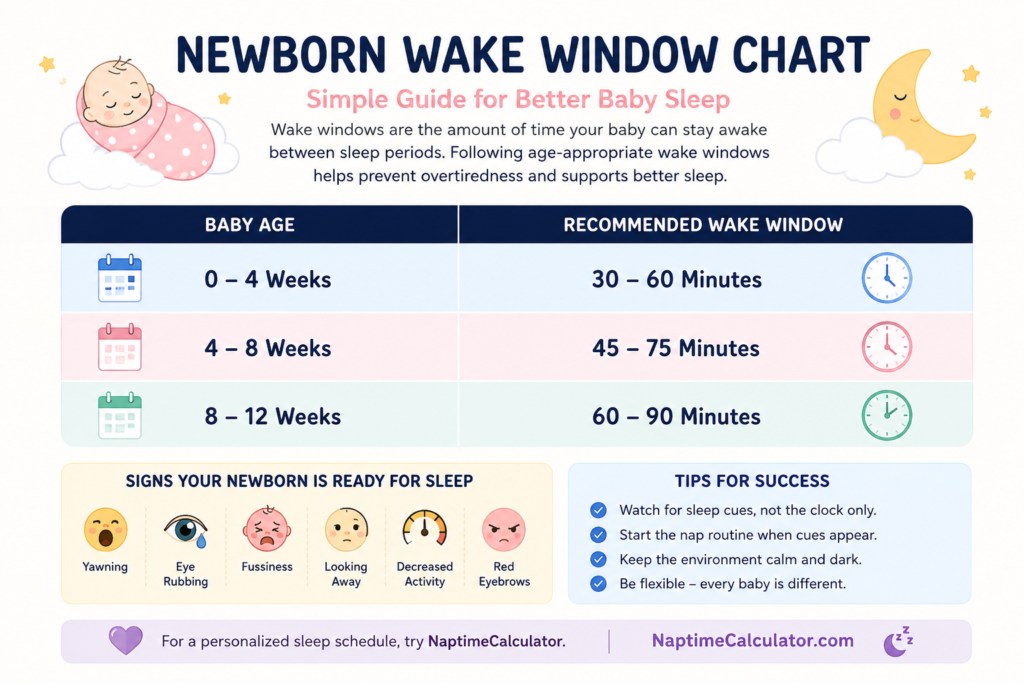
Newborn Wake Window Chart
| Baby Age | Recommended Wake Window |
|---|---|
| 0–4 Weeks | 30–60 Minutes |
| 4–8 Weeks | 45–75 Minutes |
| 8–12 Weeks | 60–90 Minutes |
Most newborns spend the majority of the day sleeping, often totaling 14–17 hours within a 24-hour period.
Why Wake Windows Matter
Following age-appropriate wake windows can help:
- Reduce overtiredness
- Improve nap quality
- Support longer stretches of nighttime sleep
- Make bedtime easier
- Create predictable daily routines
Many sleep struggles occur simply because babies are staying awake too long between naps.
Signs Your Newborn Is Ready for Sleep
Rather than watching the clock alone, look for common sleep cues:
- Yawning
- Eye rubbing
- Looking away from stimulation
- Fussiness
- Red eyebrows
- Decreased activity
When these signs appear, it’s usually time to start your baby’s sleep routine.
Example Schedule for a 1-Month-Old Baby
Every baby is different, but a typical day might look like:
- 7:00 AM – Wake and feed
- 8:00 AM – Nap
- 9:30 AM – Wake and feed
- 10:30 AM – Nap
- 12:00 PM – Wake and feed
- 1:00 PM – Nap
- Continue similar cycles throughout the day
The key is focusing on wake windows rather than rigid schedules.
Common Wake Window Mistakes
Waiting Until Baby Is Overtired
Many parents wait until their baby becomes extremely fussy before offering sleep. By that point, it may already be difficult for the baby to settle.
Following Older Baby Schedules
A schedule designed for a 6-month-old will not work for a newborn. Younger babies require much shorter wake windows.
Ignoring Sleep Cues
The clock is helpful, but your baby’s signals are equally important.
How to Use a Newborn Wake Window Chart
Start by noting your baby’s wake-up time. Then add the recommended wake window based on their age.
For example:
- Wake-up: 8:00 AM
- Wake window: 60 minutes
- Next nap: Around 9:00 AM
Repeating this process throughout the day can help create a healthy sleep rhythm.
Make Sleep Planning Easier
Tracking wake windows manually can become overwhelming, especially during the newborn stage. Using a baby sleep calculator can simplify the process by automatically recommending nap times and bedtimes based on your baby’s age and wake windows.
At NaptimeCalculator, parents can quickly build age-appropriate sleep schedules without the guesswork, helping newborns get the rest they need while making life a little easier for the whole family.
Remember that every baby is unique, but following age-appropriate wake windows is a great starting point for better sleep.
A newborn wake window chart is one of the simplest tools parents can use to improve sleep. By understanding how long your baby can comfortably stay awake, you can avoid overtiredness, improve naps, and build healthy sleep habits from the very beginning.